
Introduction: Why Free Tools Matter in Digital Marketing (2026)
Digital marketing is data-driven, creative, and competitive. Today’s employers expect you to plan campaigns, create content, analyze performance, and optimize results — often using professional tools.
But most premium tools are expensive for students. That’s where free or freemium digital marketing tools come in — they let you:
✔ Gain practical, hands‑on experience
✔ Build real portfolios and projects
✔ Analyze real campaign data
✔ Create content without design skills
✔ Understand user behavior and trends
✔ Prepare for certifications and jobs
And—most importantly—these tools represent the actual workflows used by agencies and companies worldwide.
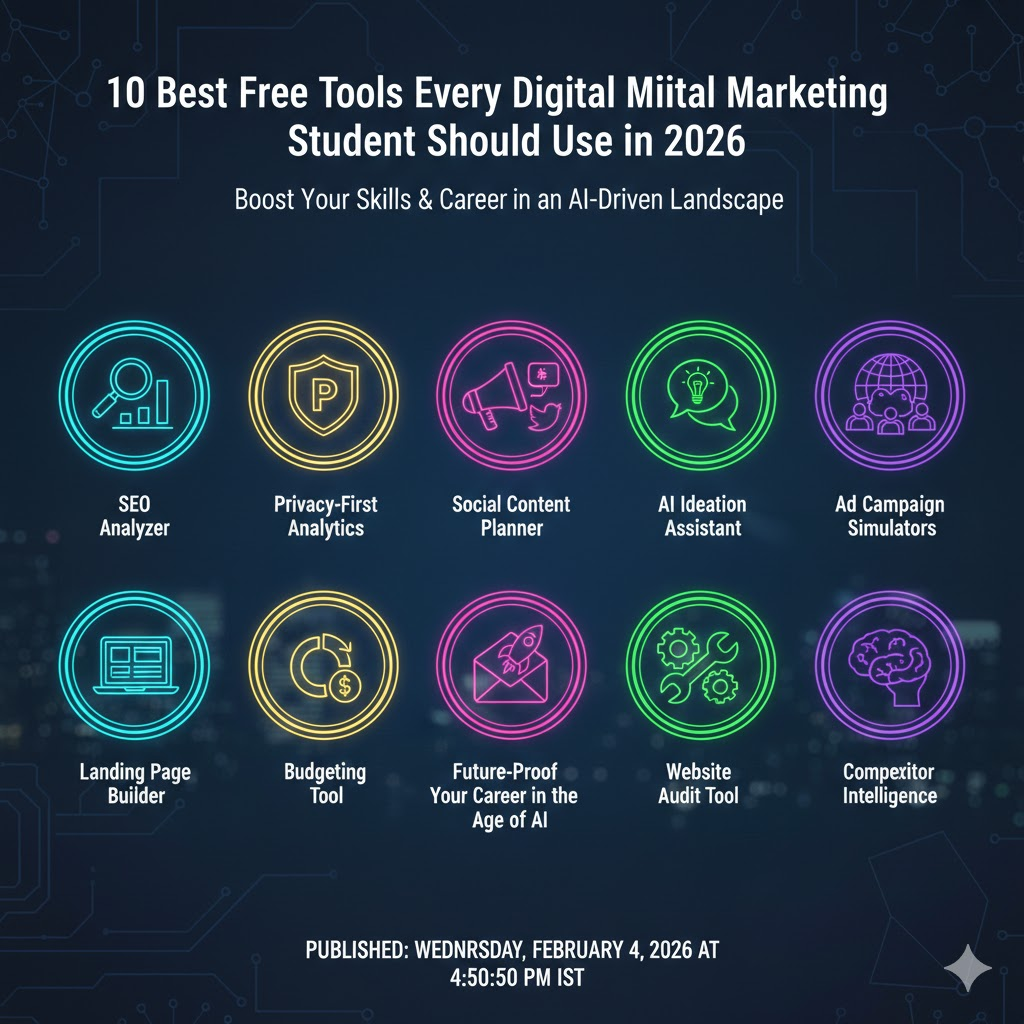
🧠 Tool #1 — Google Analytics 4 (GA4)
📊 The cornerstone of data‑driven marketing
What It Is:
Google Analytics 4 (GA4) is the industry-standard analytics platform that tracks website traffic, user behavior, conversions, engagement patterns, and more — and it’s completely free for unlimited websites.
Why Students Must Learn It
As a digital marketer, you need to understand:
- Where your traffic comes from
- Which campaigns drive conversions
- What content resonates with users
- How users navigate your site
GA4 lets you visualize real user journeys — essential for SEO, content optimization, social media ROI, and reporting.
Key Features
- Real‑time traffic reports
- Audience demographics & interests
- Event tracking & conversion goals
- Source/medium and campaign performance
- Funnel analysis & retention reports
Example Use Case (Step‑by‑Step)
- Install GA4 on a demo website (e.g., WordPress live site)
- Set up events like “Button Click,” “Form Submit,” and “Video Play”
- Track which channels bring the most traffic
- Identify drop‑off points in your funnel
- Use that data to improve content or redesign a landing page
Pro Tip for Students
Set up custom dashboards in GA4 for visual reports you can present in portfolios.
🎨 Tool #2 — Canva (Free Plan)
🖌 Design beautiful graphics without designers
What It Is:
Canva is a drag‑and‑drop design tool that lets anyone create social media posts, banners, posters, videos, carousels, infographics, and ads — even with zero design skills.
Why It’s Essential
Digital marketing lives on visuals — from Instagram posts to YouTube thumbnails. Canva empowers you to:
- Create branded content
- Produce consistent social formats
- Edit videos and graphics fast
Key Features
- 1000s of free templates
- Photo and video editing tools
- Brand kit (color palette, fonts)
- Collaboration and export options
How to Use It
- Start with a template
- Replace the text and colors with your brand style
- Export in high resolution for social or web
Pro Student Use Cases
- Create weekly content for Real campaigns
- Design infographics for blogs and LinkedIn
- Build portfolio visuals for job applications
🔍 Tool #3 — Google Search Console
🧿 Understand how Google sees your site
What It Is:
Google Search Console reports how your website performs in Google Search — including indexing status, search queries, clicks, impressions, and technical SEO issues.
Why It Matters
Google Search Console helps you:
- Fix crawling errors
- Improve keyword rankings
- Monitor search performance
- Submit sitemaps
Practical Student Activity
- Link your demo website
- Submit sitemap
- Review search query report
- Optimize content based on clicks & impressions
Pro Tip:
Combine Google Analytics and Search Console to link visitor behavior with search performance.
🔑 Tool #4 — Ubersuggest (Free Version)
🔎 Beginner‑friendly SEO research
What It Is:
Ubersuggest offers keyword research, keyword suggestions, basic competitor analysis, and content ideas — all free at a basic level.
Why Students Should Use It
SEO is foundational for organic traffic. Ubersuggest helps you:
- Discover high‑potential keywords
- Evaluate keyword difficulty
- Identify competitor strategies
Real School Project
- Use Ubersuggest to identify keywords for a blog
- Write an SEO‑optimized article based on search volume
- Measure rank changes over time using GA4
Pro Tip:
Combine this with Google Trends to catch trending topics early.
📈 Tool #5 — Google Trends
📊 Trend surfing made easy
What It Is:
A completely free tool to explore trending topics, seasonal spikes, and search patterns in real time.
Why It’s Powerful
Knowing what’s trending means you can:
- Create content people are actually searching for
- Capitalize on current events and seasonal terms
- Discover topics that resonate with your audience
Example Use
If you see rising interest in “AI tools for students,” you can tailor blog posts or social campaigns around that topic.
📱 Tool #6 — Buffer (Free Plan)
📅 Schedule and manage social content
What It Is:
Buffer lets you schedule posts across multiple platforms (Instagram, LinkedIn, Facebook, X) from one dashboard — on a free plan.
Why Students Need It
Consistency is key in social marketing. With Buffer you can:
- Create a content calendar
- Schedule posts in advance
- Review engagement metrics
How to Practice
Plan a one‑week social calendar and track engagement changes.
Pro Tip:
Pair Buffer insights with GA4 traffic sources to analyze ROI from social.
📧 Tool #7 — Mailchimp (Free Plan)
💌 Email marketing made simple
What It Is:
Mailchimp lets you design email campaigns, segment lists, and automate sequences — with a free tier for small lists.
Use Cases for Students
- Beginner email campaign
- Welcome sequence for newsletter subscribers
- Measure open and click‑through rates
Professional Practice
Use email campaigns to nurture a blog audience or promote events.
🤖 Tool #8 — ChatGPT (Free Version)
✍️ AI‑powered content brainstorming and creation
What It Is:
The free plan of ChatGPT helps you brainstorm ideas, create draft copy, generate campaign concepts, answer questions, and more — effectively serving as an AI digital assistant for marketing.
Why Students Should Master It
AI tools are reshaping content creation:
- Generate blog outlines
- Create PPC ad copies
- Reformat content for social platforms
- Get topic ideas instantly
Pro Tip
Always revise AI outputs for accuracy and compliance.
👥 Tool #9 — HubSpot CRM (Free)
📇 Manage contacts and leads like a pro
What It Is:
HubSpot CRM provides a free suite to manage contacts, track interactions, segment audiences, and automate basic tasks — essential for marketing and sales alignment.
Why It’s Useful for Students
- Learn real‑world CRM workflows
- Manage leads from campaigns
- Track email interactions and deal stages
Project Idea
Simulate a campaign lead funnel using CRM contacts and track conversion.
🔍 Tool #10 — Hotjar / Microsoft Clarity (Free Plans)
👀 Understand user behavior beyond numbers
What They Are:
- Hotjar provides heatmaps and session recordings
- Microsoft Clarity offers similar insights for free and unlimited data.
Why This Matters
Understanding how users interact with your site helps you:
- Increase conversions
- Reduce bounce rates
- Improve UX
Student Strategy
Implement heatmaps to refine landing pages created in practice projects.
⚡ Bonus Tools Every Student Should Know (Free or Freemium)
| Tool | Category | Why It Matters |
|---|---|---|
| Yoast SEO | WordPress SEO | Helps optimize on‑page content |
| AnswerThePublic | Content ideation | Uncovers real search questions |
| Bitly | Link tracking | Shorten and track links for campaigns |
| Trello | Project management | Plan tasks and campaigns |
| Canva Video Editor | Video creation | Short social video editing |
| Kapwing | Content editing | Collaboration and subtitling |
These extras help broaden your skills beyond basic tools.
🧠 How to Practice These Tools (Student Roadmap)
Digital marketing is best learned by doing. The roadmap below organizes your practice into 5 phases, gradually building your skills from basics to real campaigns.
📍 Phase 1 — Foundation (Weeks 1–3)
Goal: Understand web analytics, basic SEO, and set up your practice environment.
1. Set up a Demo Website
- Use WordPress, Wix, or Google Sites to create a practice website.
- Pick a niche (e.g., food blog, tech gadgets, or travel site) for all projects.
- Create 5–10 pages/posts to simulate a real website.
2. Install Analytics & Monitoring Tools
- Google Analytics 4 (GA4):
- Track visitors, sessions, and page views.
- Set up events like button clicks, video plays, and form submissions.
- Google Search Console:
- Submit your sitemap.
- Monitor indexing and identify keywords your pages rank for.
3. Learn SEO Basics
- Use Ubersuggest to find keywords for your demo content.
- Apply on-page SEO:
- Title tags, meta descriptions, headers
- Internal linking
- Track initial performance via GA4 & Search Console.
✅ Deliverables by Week 3:
- A functional demo website
- GA4 and Search Console connected
- At least 3 pages optimized for SEO
- Basic keyword research report
📍 Phase 2 — Content Creation & SEO (Weeks 4–6)
Goal: Build content, design visuals, and optimize for search.
1. Content Creation
- Use Canva to create:
- Blog headers, social media banners, infographics
- Short videos or animations for your niche
- Use ChatGPT for:
- Blog outlines
- Social media captions
- Content ideas
2. SEO Optimization
- Refine keywords with Google Trends to target trending searches.
- Track keywords in Ubersuggest:
- Analyze difficulty
- Track competitors
- Test SEO impact using GA4 data:
- Track which keywords drive traffic
- Identify pages with high bounce rate
3. Social Media Practice
- Start creating social posts with Canva.
- Schedule posts via Buffer Free Plan.
- Track engagement:
- Likes, shares, comments, clicks
- Experiment with different times, formats, and captions.
✅ Deliverables by Week 6:
- 5–10 blog posts optimized for SEO
- At least 10 social media posts scheduled
- Keyword & performance report
📍 Phase 3 — Social Media Strategy (Weeks 7–9)
Goal: Learn scheduling, analytics, and audience engagement.
1. Build Social Campaigns
- Use Buffer to schedule posts across multiple platforms (LinkedIn, Instagram, Facebook/X).
- Track performance:
- Click-through rates (CTR)
- Engagement metrics
2. Combine Analytics
- Compare GA4 traffic sources vs social engagement.
- Analyze which posts drive traffic or conversions.
- Optimize posts based on results.
3. Experiment with Trends
- Use Google Trends to find trending hashtags or topics.
- Create campaigns around trending keywords.
- Track performance and iterate.
✅ Deliverables by Week 9:
- 1 mini social media campaign
- Report on traffic vs engagement
- Case study of which posts performed best and why
📍 Phase 4 — Email Marketing & CRM (Weeks 10–12)
Goal: Understand lead nurturing and automated campaigns.
1. Email Campaigns
- Use Mailchimp Free Plan to:
- Build email list (use dummy emails for practice)
- Design newsletters and automated sequences
- Track open rates and CTR
2. CRM Practice
- Use HubSpot Free CRM to:
- Track contacts and interactions
- Segment audience (even with your demo leads)
- Create basic workflows and tasks
3. Combine Tools
- Integrate email campaigns with GA4 to track conversions.
- Use CRM data to personalize content for leads.
- Measure ROI of email campaigns using reports.
✅ Deliverables by Week 12:
- 1 email marketing campaign
- CRM lead management workflow
- Combined analytics report showing campaign performance
📍 Phase 5 — Real-World Project
Goal: Apply everything you learned in a portfolio-ready project.
1. Create a Case Study
- Document:
- Objectives (e.g., increase traffic, generate leads)
- Tools used (GA4, Canva, Buffer, Mailchimp, HubSpot, etc.)
- Strategies implemented
- Results and insights
2. Add Visual Proof
- Screenshots of analytics dashboards, emails, social posts, and website improvements.
- Include metrics like:
- Traffic increase (%)
- Engagement rates
- Leads generated
3. Present Your Portfolio
- Combine all reports into a single PDF or website portfolio
- Include project reflections:
- What worked, what didn’t
- Lessons learned
- Future improvements
🔑 Tips to Maximize Learning
- Practice consistently – at least 1–2 hours daily.
- Document everything – analytics screenshots, reports, campaigns.
- Experiment & iterate – test different post types, keywords, and strategies.
- Learn from free courses – HubSpot Academy, Google Digital Garage, Canva Design School.
- Network & showcase – share your portfolio on LinkedIn or in internships.
Final Tips for 2026 Digital Marketing Students
1️⃣ Learn One Tool at a Time, Then Integrate
- Don’t overwhelm yourself with all 10+ tools at once.
- Start with foundational tools like Google Analytics and Search Console.
- Once comfortable, add Canva, Buffer, Mailchimp, HubSpot.
- Integration is key: for example, track social campaigns from Buffer in GA4 or leads from Mailchimp in HubSpot CRM.
2️⃣ Focus on Data-Driven Decisions
- Digital marketing is more than creativity; it’s analytics-driven.
- Learn to read data from GA4, Search Console, Buffer, and Mailchimp.
- Use metrics like CTR, bounce rate, conversion rate, and engagement to optimize campaigns.
- Example: If a blog post has high traffic but low engagement, tweak your headline or CTA.
3️⃣ Build a Real Portfolio
- Use your demo website, social campaigns, email campaigns, and CRM projects as case studies.
- Include screenshots, performance metrics, and reflections.
- Employers value hands-on evidence more than theoretical knowledge.
- Tip: Make a Google Drive portfolio or free portfolio website using Wix/WordPress.
4️⃣ Stay Updated With Trends
- 2026 marketing is rapidly evolving with AI, short-form video, personalization, and voice search.
- Use Google Trends and industry blogs (HubSpot, Neil Patel, Social Media Examiner) to stay current.
- Experiment with new formats like AI-generated content or interactive posts.
5️⃣ Focus on Multi-Channel Marketing
- Digital marketing now spans web, email, social, search, and emerging platforms.
- Don’t limit yourself to just one platform; learn how campaigns interact.
- Example: Run a blog campaign, promote it via Buffer on social, track traffic with GA4, and nurture leads via Mailchimp.
6️⃣ Learn to Automate and Save Time
- Tools like HubSpot CRM, Mailchimp automation, Buffer scheduling save hours.
- Focus on automating repetitive tasks, like post scheduling, lead nurturing, and reporting.
- This makes you more efficient and attractive to employers.
7️⃣ Combine Creativity with Strategy
- Creativity without strategy = wasted effort; strategy without creativity = boring campaigns.
- Use Canva and ChatGPT to create content that is visually appealing and relevant to trends.
- Always align content with audience needs and campaign goals.
8️⃣ Practice Critical Thinking & Testing
- Don’t blindly follow metrics; analyze patterns and experiment.
- Run A/B tests on email subject lines, social post formats, or landing page layouts.
- Example: Test two CTAs in an email campaign in Mailchimp to see which drives more clicks.
9️⃣ Learn Free Courses Alongside Tools
- Free certifications enhance credibility:
- Google Digital Garage – Analytics & Marketing fundamentals
- HubSpot Academy – Content, Email, Social Media
- Meta Blueprint – Facebook & Instagram advertising
- Apply course learnings directly to your demo projects.
🔟 Network and Showcase
- Share your projects, insights, and tips on LinkedIn or Medium.
- Join student marketing groups and webinars to learn industry practices.
- Networking often leads to internships, freelance opportunities, and mentorship.
Bonus Tip: Embrace AI Smartly
- Tools like ChatGPT can speed up content creation, SEO research, and ad copy.
- Always review and refine AI outputs — AI is a helper, not a replacement for your critical thinking.
- Example: Generate a blog outline with ChatGPT → research keywords with Ubersuggest → optimize content for SEO → schedule social posts via Buffer.
Final Tips for 2026 Digital Marketing Students
1️⃣ Master One Tool at a Time in Digital Marketing
- In digital marketing, there are countless tools available. Start with one foundational tool like Google Analytics or Search Console before exploring others.
- Once comfortable, integrate tools like Canva, Buffer, Mailchimp, and HubSpot CRM.
- In digital marketing, integration is key: for example, track social campaigns from Buffer within GA4 to see overall performance.
2️⃣ Make Decisions Based on Data in Digital Marketing
- Digital marketing is driven by analytics and insights. Learn to read data from GA4, Search Console, Buffer, and Mailchimp.
- Metrics like CTR, engagement, bounce rate, and conversion rate are vital to improving campaigns.
- For instance, in digital marketing, if a blog post attracts traffic but users leave quickly, tweak headlines, visuals, or CTAs to improve engagement.
3️⃣ Build a Real Portfolio in Digital Marketing
- In digital marketing, employers look for hands-on experience. Document campaigns, websites, emails, and social posts.
- Include screenshots, performance metrics, and reflections.
- A strong digital marketing portfolio demonstrates practical knowledge far better than theory alone.
4️⃣ Stay Updated With Trends in Digital Marketing
- Digital marketing is rapidly evolving in 2026 with AI, short-form videos, personalized content, and voice search.
- Use Google Trends and industry blogs to track emerging trends in digital marketing.
- Experiment with new content formats to stay ahead in your digital marketing skills.
5️⃣ Focus on Multi-Channel Digital Marketing
- Successful digital marketing involves more than just one platform. Learn to coordinate campaigns across web, email, social media, and emerging platforms.
- Example: Run a blog campaign, promote it via Buffer, track traffic with GA4, and nurture leads via Mailchimp—this is integrated digital marketing in action.
6️⃣ Use Automation in Digital Marketing
- Tools like HubSpot CRM, Mailchimp automation, and Buffer scheduling save time in digital marketing campaigns.
- Automate repetitive tasks like scheduling posts, nurturing leads, and generating reports.
- Automation lets you focus on strategy, creativity, and campaign optimization in digital marketing.
7️⃣ Combine Creativity and Strategy in Digital Marketing
- Creativity without strategy leads to ineffective campaigns, while strategy without creativity is dull.
- Use Canva and ChatGPT to produce visually appealing content that supports your digital marketing objectives.
- Always align your digital marketing campaigns with audience needs and business goals.
8️⃣ Test and Analyze in Digital Marketing
- Digital marketing requires constant testing. Conduct A/B tests on email subject lines, social posts, or landing pages.
- Analyze results and iterate for better performance.
- In digital marketing, testing and optimization are essential for learning what truly works.
9️⃣ Learn Free Courses While Practicing Digital Marketing
- Enhance your digital marketing skills with free certifications:
- Google Digital Garage – Analytics & Marketing fundamentals
- HubSpot Academy – Content, Email, Social Media
- Meta Blueprint – Facebook & Instagram Ads
- Apply these learnings directly to digital marketing projects.
🔟 Network and Showcase Your Digital Marketing Work
- Share projects, insights, and campaigns on LinkedIn, Medium, or in student groups.
- Networking helps you gain feedback, mentorship, and freelance or internship opportunities.
- Your digital marketing portfolio is as important as knowledge—let it speak for your skills.
Bonus Tip: Embrace AI in Digital Marketing
- Tools like ChatGPT can assist in content creation, SEO research, and ad copy for digital marketing campaigns.
- Always review AI outputs for quality and alignment with your strategy.
- Example: Generate blog outlines with ChatGPT → optimize for SEO → schedule posts → track results—this is modern digital marketing in action.
Conclusion: Excelling in Digital Marketing in 2026
Digital marketing in 2026 is a fast-paced, evolving field that combines creativity, strategy, and data-driven decision-making. For students entering this world, mastering practical skills in digital marketing is essential to become job-ready and competitive. Free tools like Google Analytics, Google Search Console, Canva, Ubersuggest, Google Trends, Buffer, Mailchimp, ChatGPT, HubSpot CRM, and Hotjar/Microsoft Clarity provide an accessible way to learn and practice digital marketing without financial barriers. These tools allow students to understand website performance, track campaigns, analyze user behavior, create engaging content, and manage multi-channel digital marketing campaigns effectively.
The journey to mastering digital marketing begins with building a strong foundation. Setting up a demo website, linking it to analytics, and learning basic SEO and content strategies gives students the confidence to work on real projects. From there, students can move to content creation, social media management, email marketing, and lead nurturing, applying digital marketing principles and using the tools in practical scenarios. Platforms like Canva and ChatGPT make it easier to produce creative content, while Buffer and Mailchimp help manage digital marketing campaigns efficiently across multiple channels. Integrating tools, such as tracking social media performance in GA4 or monitoring email conversions in HubSpot CRM, demonstrates the interconnected nature of digital marketing.
Practical application is critical in digital marketing. Students should focus on creating campaigns, measuring results, and iterating strategies to understand what works and what doesn’t. This hands-on approach not only improves skills but also helps build a professional portfolio that reflects experience in real digital marketing scenarios. Staying updated with emerging trends, AI tools, short-form video, personalization, and voice search ensures students remain relevant in the ever-changing digital marketing landscape.
Ultimately, excelling in digital marketing requires a balance of analytical skills, creativity, strategy, and hands-on practice. Free tools empower students to experiment, learn, and refine campaigns, enabling them to develop a deep understanding of digital marketing processes. By following a structured roadmap, practicing consistently, and documenting results, students can transform their knowledge into tangible digital marketing expertise.
In conclusion, mastering digital marketing with free tools equips students to execute effective campaigns, understand audience behavior, measure performance, and make informed decisions. With dedication, creativity, and strategic thinking, students in 2026 can confidently enter internships, freelance projects, or full-time roles, fully prepared to thrive in the competitive world of digital marketing.